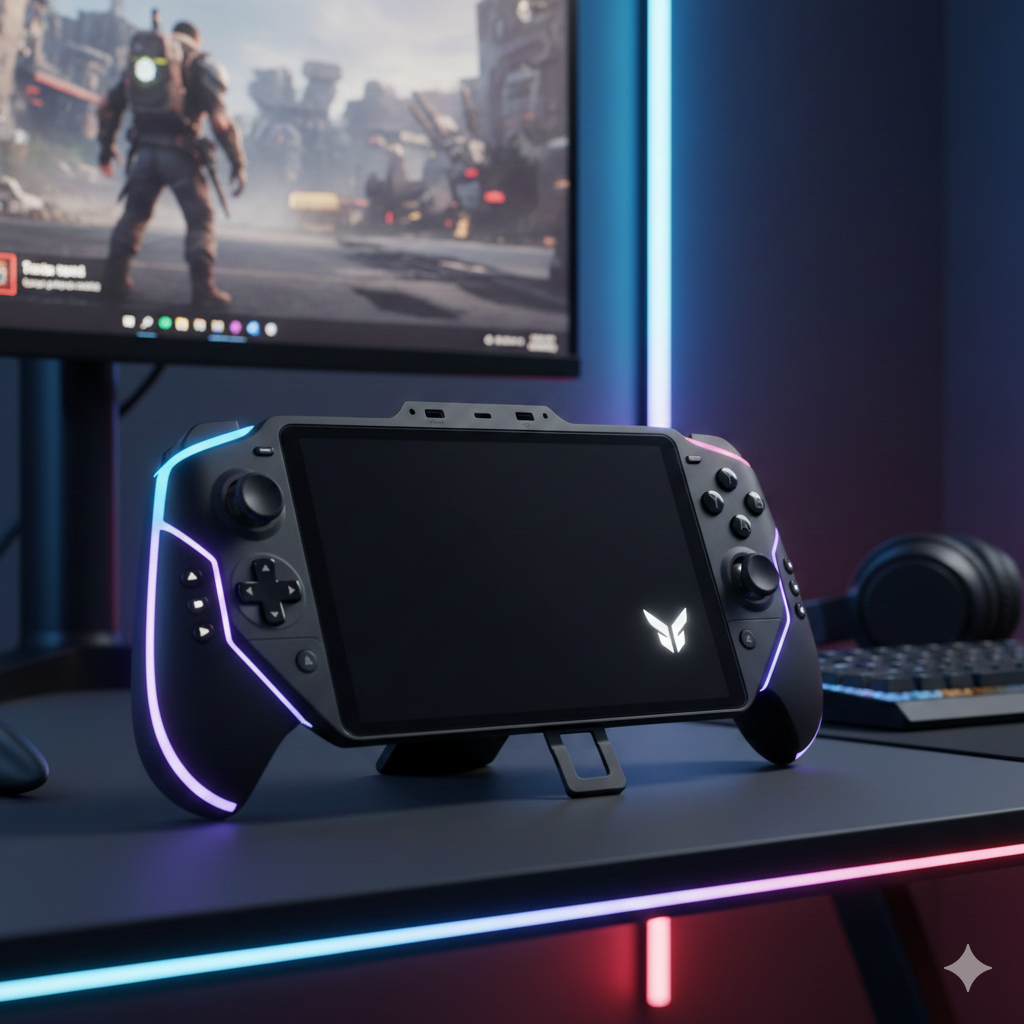
I’ve tested a lot of gaming handhelds over the past year, and when Lenovo announced the Legion Go 2, I was curious but skeptical. After spending nearly three weeks gaming on the Legion Go 2, I’ve got some strong opinions to share.
Here’s what you need to know upfront: The Legion Go 2 is hands-down the most premium gaming handheld you can buy right now, with an absolutely stunning OLED display and detachable controllers that actually work well. But at $1,349 for the model worth buying, it’s expensive enough to make you seriously question whether a gaming laptop might be the smarter choice.
Quick Answer: The Lenovo Legion Go 2 delivers the best handheld gaming display available and excellent performance, but the high price and Windows 11 quirks make it ideal only for enthusiasts who want no compromises. Most gamers will find better value in the ROG Ally X or Steam Deck OLED.
Design and Build Quality
Let’s address the elephant in the room: this is a big handheld. At 2.38 pounds (920 grams), the Legion Go 2 is noticeably heavier than the Steam Deck OLED (1.4 pounds) or ROG Ally X (1.49 pounds). After an hour-long gaming session, my hands definitely felt it.
That said, Lenovo made smart ergonomic improvements. The edges are more rounded than the original, making it comfortable to hold. The matte black finish resists fingerprints reasonably well, and the build quality feels premium with no flex or creaking.
The built-in kickstand is sturdy and covers most of the back. I found myself using this more than expected, especially for watching videos or playing turn-based games with the controllers detached.
That OLED Display is Special
This is the best display I’ve used on any gaming handheld. Period.
The 8.8-inch OLED panel runs at 1920 x 1200 resolution with up to 144Hz refresh rate and Variable Refresh Rate support. The OLED technology delivers true blacks and vibrant colors that make IPS panels look washed out. Playing Spider-Man 2 at night was almost cinematic.
Brightness peaks at 500 nits normally, with HDR content hitting 1000 nits. I had no issues gaming outdoors, though glare is noticeable on the glossy screen. The 144Hz refresh rate with VRR means smooth gameplay without screen tearing.
My only complaint? This is a fingerprint magnet.
Performance and Gaming Benchmarks
The Legion Go 2 comes with AMD Ryzen Z2 or Z2 Extreme processors. I tested the Z2 Extreme model the one you should get. The base Z2 at $1,099 with only 16GB RAM doesn’t make sense at this price.
Real Gaming Performance
AAA Games (1920 x 1200, Medium-High Settings)
- Cyberpunk 2077: 58-65 fps average (2 hours 17 min battery)
- Spider-Man 2: 55-70 fps (stunning on OLED)
- Resident Evil 4 Remake: 54-60 fps
Competitive Games
- Fortnite: 100-120 fps at medium settings
- Valorant: Easily maintains 144 fps
- CS2: 110-130 fps at competitive settings
Critical Note: Out of the box, VRAM is set to only 2GB, which severely limits performance. You must go into BIOS and increase this to 4-6GB. After adjusting, Cyberpunk performance improved by 15-20%. This should be set higher by default.

Battery Life Reality
Let’s be honest about battery life:
- Demanding Games: 2-2.5 hours (performance mode)
- Medium Games: 3-4 hours (balanced mode)
- Video Playback: 10+ hours
The 74Wh battery is 50% larger than the original Legion Go, and you can feel the difference. But it still trails the ROG Ally X’s 80Wh battery slightly.
I found that dropping resolution to 1280 x 800 in balanced mode gave the best experience unplugged 3+ hours for most games with great performance.
Detachable Controllers
The TrueStrike controllers detach like Nintendo Switch Joy-Cons but are chunkier and more ergonomic. I actually used this feature regularly for tabletop mode and turn-based games like Baldur’s Gate 3.
The right controller attaches to a mouse-like base for FPS games. I tried this with Halo Infinite—it takes getting used to, but it’s genuinely useful for precision aiming.
The new Hall effect joysticks prevent stick drift. After three weeks of heavy use, I experienced zero drift or dead zones.
Downsides: The detachment mechanism feels clunky compared to Nintendo’s Switch, and the controllers drain the main battery when used wirelessly.
Complete Specifications
| Specification | Details |
| Display | 8.8″ OLED, 1920 x 1200, 30-144Hz VRR, 500 nits (1000 peak HDR) |
| Processor | AMD Ryzen Z2 or Z2 Extreme (8 cores, 16 threads, up to 5GHz) |
| Graphics | AMD Radeon 890M (Z2 Extreme) – RDNA 3.5 |
| RAM | 16GB or 32GB LPDDR5X – Not upgradeable |
| Storage | 1TB or 2TB M.2 SSD – User upgradeable |
| Battery | 74Wh |
| Weight | 2.38 lbs (920g) |
| Controllers | Detachable TrueStrike with Hall effect joysticks |
| Ports | 2x USB-C, microSD, 3.5mm audio |
| OS | Windows 11 |
| TDP | 15W – 35W adjustable |
| Charging | 65W USB-C (90 min full charge) |
Price and Configurations
| Configuration | Price |
| Z2 + 16GB RAM + 1TB | $1,099.99 |
| Z2 + 32GB RAM + 1TB | $1,199.99 |
| Z2 Extreme + 32GB RAM + 1TB | $1,349.99 |
| Z2 Extreme + 32GB RAM + 2TB | $1,479.99 |
My recommendation: Get the $1,349.99 Z2 Extreme with 32GB RAM. The 16GB base model will struggle with memory-intensive games.
Legion Go 2 vs Competition
vs Steam Deck OLED ($549)
Steam Deck wins: Price ($800 cheaper), SteamOS optimization, lighter weight
Legion Go 2 wins: Display (144Hz vs 90Hz), performance, Windows flexibility, detachable controllers
Verdict: Legion Go 2 for best experience with budget. Steam Deck OLED for value.
vs ROG Ally X ($799)
Ally X wins: Price ($550 cheaper), weight, refined Windows experience
Legion Go 2 wins: OLED display (huge advantage), detachable controllers, larger screen
Verdict: Ally X is better value. Get Legion Go 2 if OLED is worth the premium.
Who Should Buy This?
Perfect For:
- Enthusiasts who want the most premium handheld available
- Gamers who value display quality above everything
- People who travel frequently and want a full Windows PC
- Those who appreciate versatile controller options
- Anyone wanting Game Pass, Epic, and Steam on one device
Not Ideal For:
- Budget-conscious gamers (ROG Ally X or Steam Deck are better values)
- People prioritizing portability and light weight
- Casual gamers who don’t need cutting-edge specs
- Those wanting plug-and-play simplicity
- Gamers with smaller hands
Pros and Cons
Pros
- Best handheld display available (8.8″ OLED, 144Hz, VRR)
- Excellent gaming performance with Z2 Extreme
- Detachable controllers with Hall effect joysticks
- Premium build quality
- Effective cooling system
- 50% larger battery than original
- Upgradeable storage
Cons
- Very expensive ($1,349)
- Heavy at 2.38 pounds
- Battery life limited to 2-3 hours for demanding games
- Windows 11 isn’t optimized for handheld use
- VRAM set too low out of the box
- Controller detachment feels clunky
- RAM not upgradeable
FAQ
How long does battery last? 2-2.5 hours for AAA games, 3-4 hours for less intensive games, 10+ hours for videos.
Can I upgrade the RAM? No, RAM is soldered. Choose your configuration carefully.
Can I upgrade storage? Yes, the M.2 SSD is user-replaceable. MicroSD card slot available too.
Do I need to adjust VRAM? Yes. Go into BIOS and increase from 2GB to 4-6GB for better performance.
Is it good for emulation? Extremely good. Handles even PS3 and Switch emulation with ease.
What’s the warranty? Standard 1-year from Lenovo. Extended warranties available.
Is it worth upgrading from original Legion Go? Only if you really want the OLED display and can afford it.
Final Verdict
The Lenovo Legion Go 2 is the most impressive gaming handheld I’ve tested, but also the most expensive and niche.
That OLED display is genuinely special every game looks stunning, and the 144Hz with VRR makes gameplay incredibly smooth. The AMD Ryzen Z2 Extreme delivers excellent performance, and detachable controllers add versatility you won’t find elsewhere.
But at $1,349, this is tough to recommend to most people. The ROG Ally X offers 80% of the experience for $550 less. The Steam Deck OLED is nearly $800 cheaper. Even gaming laptops at this price offer more raw performance.
Who Is This For?
This is for enthusiasts who want the absolute best handheld gaming experience and are willing to pay for it. If that OLED display, detachable controllers, and premium build quality are worth $700+ more than the competition to you, then the Legion Go 2 delivers.
For everyone else, wait for a sale or consider the more affordable alternatives.
Rating: 8/10 – Exceptional hardware held back by a premium price tag and Windows 11 quirks.
Your Next Step
The Legion Go 2 is available at Best Buy, Lenovo’s website, and select retailers. Consider waiting for holiday sales handhelds often see significant discounts 6-9 months after launch.
Questions about whether the Legion Go 2 is right for you? Drop a comment below and I’ll help you decide.